
This tutorial will demonstrate how to utilize the ‘View More’ option to conceal a specified number of headings in the Table of Contents (TOC). Follow the steps below for guidance:
1. Download and Install the Easy Table Of Contents Pro zip folder from the account area
2. Upload and Activate the plugin on your website.
Step 1: Go to Easy Table of Content settings and scroll down to the PRO Settings and here you will find the option to “View More” option.
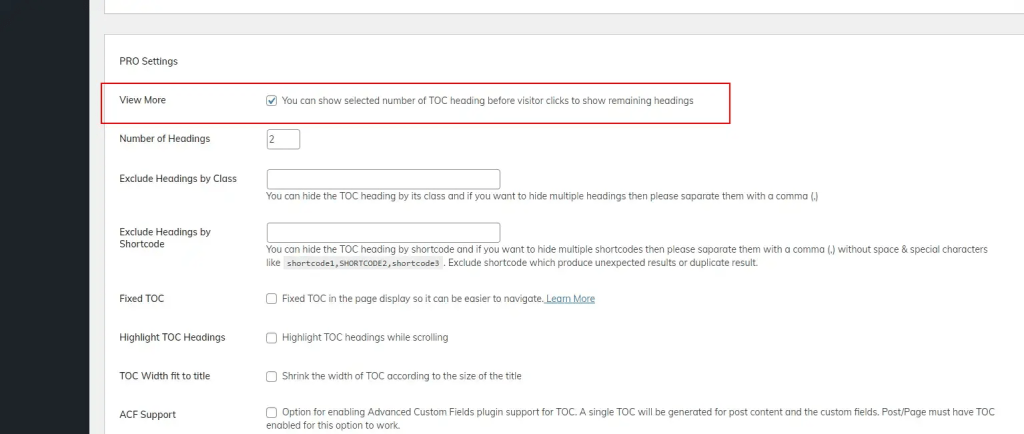
Step 2: Click on ‘Number of Headings’ and input the desired number to enable the ‘View More’ option in the Table of Contents (TOC).
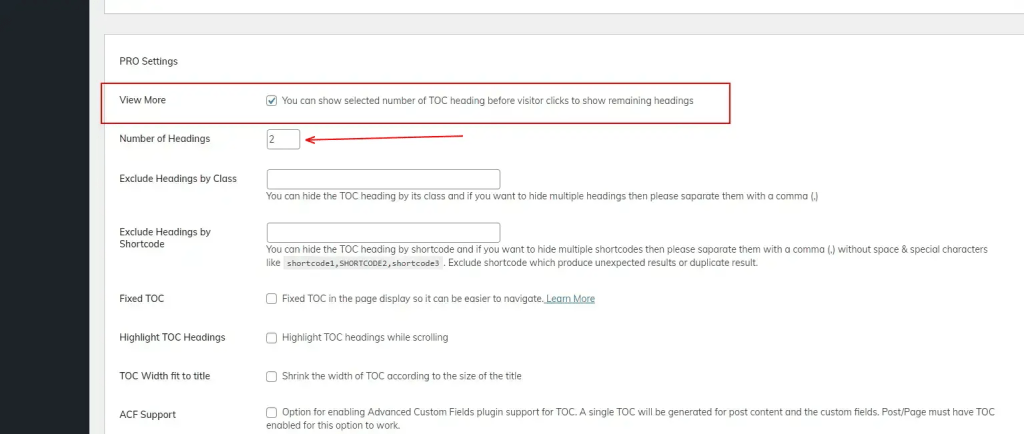
You will observe the desired outcome on your page, as illustrated in the provided images.


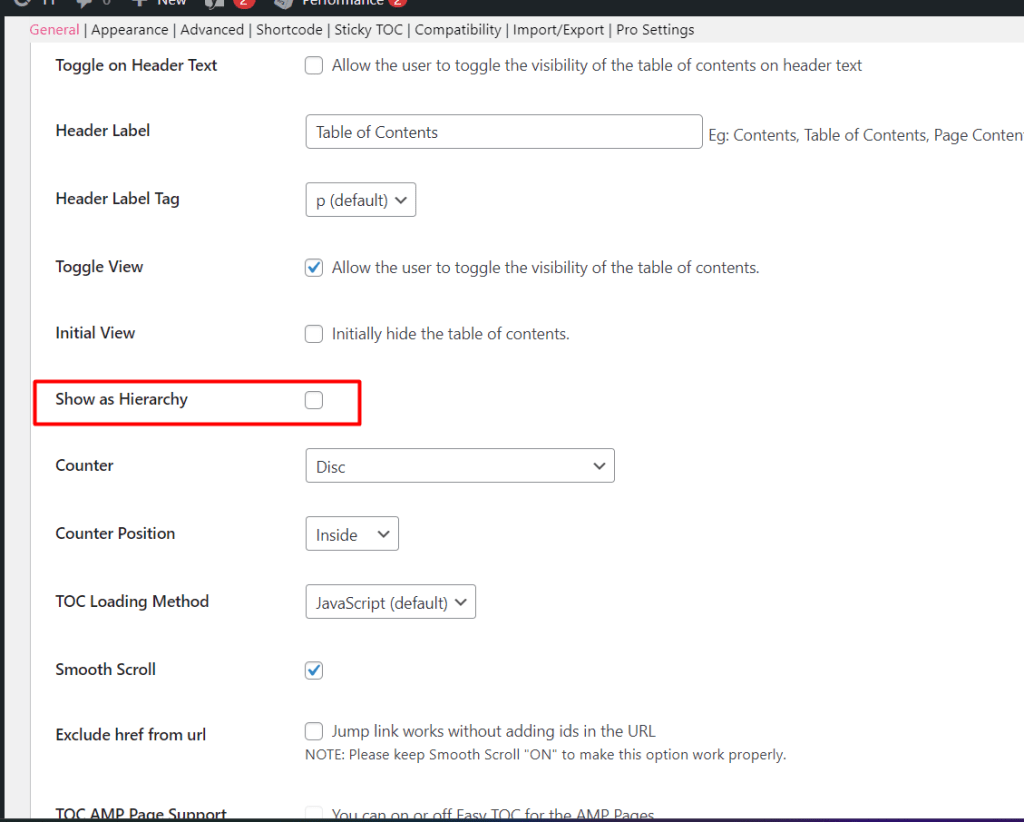
Note: To use the “view more” option, disable the Show as Hierarchy option first if it is enabled on your end. For reference, we have added the screenshot below.
That’s it for this tutorial!
We hope we’ve cleared your doubts in case you have any feedback or questions, then please share them in the comments section below.
