1. Home
  2. How To
  3. How to Add an Easy Table of Contents Above the Page Title

How to Add an Easy Table of Contents Above the Page Title

In this tutorial, we will show you how you can setup TOC in page heading or title.

Step 1 In the dashboard under the settings section, you will find the settings for Easy Table Of contents as given in the screenshot below.

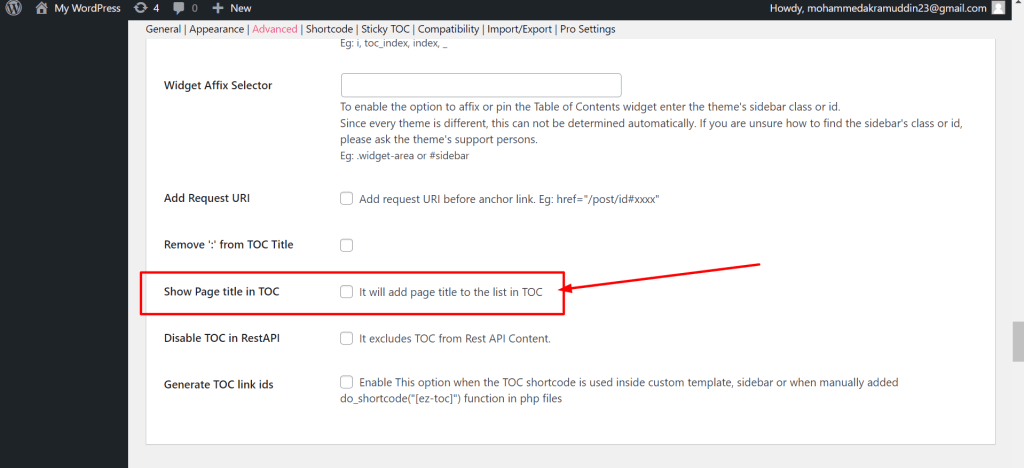
Step 2 Now scroll down to the page and you will find an option called “Show Page title in TOC” and check the box as given in the screenshot below.
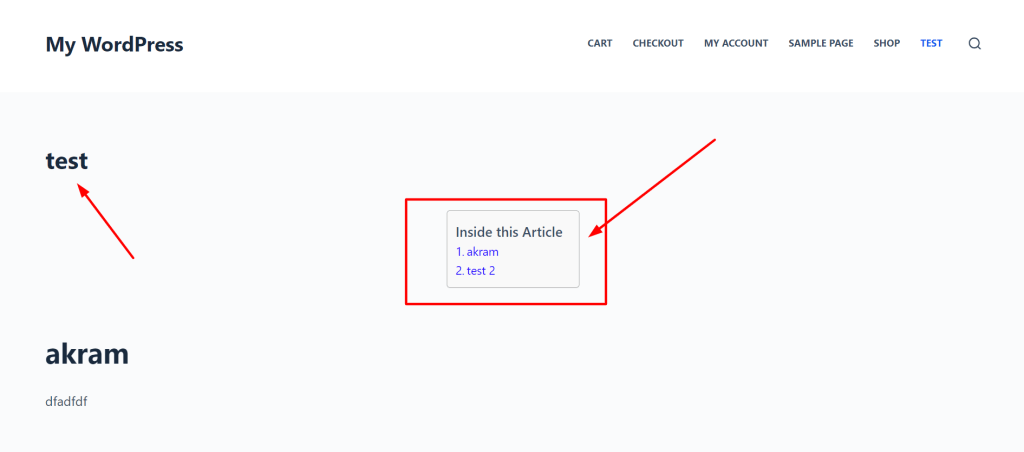
Output of Below the content
Updated on November 28, 2025

    Are you still looking for a solution?

    Then fill out the below form and we will reach out to you within a few hours.


    Was this article helpful?

    Related Articles

    Need Support?
    Can’t find the answer you’re looking for? Don’t worry we’re here to help!
    Contact Support