
In this tutorial, we will show you how you can add a schema for the Table, please follow the steps given below.
Step 1: In the dashboard under the settings section, you will find the settings for Easy Table Of contents as given in the screenshot below.

Step 2: Now scroll down to the Advanced setting and you will find an option called “SiteNavigation Schema” and check the box as given in the screenshot below.
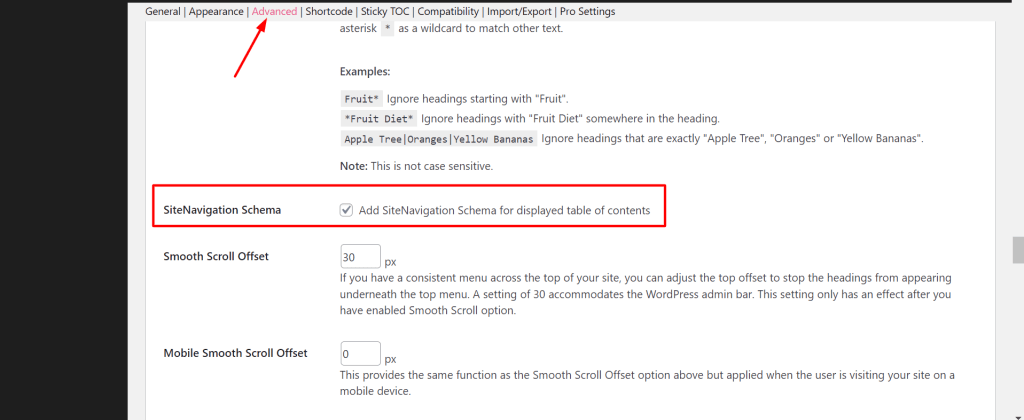
Step 3: Ater enabling the “SiteNavigation Schema” option schema automatically reflected at your end.
Output:
That’s it for this tutorial!
We hope we’ve cleared your doubts in case you have any feedback or questions, then please share them in the comments section below.
