
[ez-toc]
Shortcode Functionality – Embedding the Table of Contents Anywhere
TOCWP provides comprehensive control over the placement of your Table of Contents through a straightforward shortcode. This feature is particularly useful when you prefer to position the TOC at a custom location rather than relying on automatic insertion. Implementing the Shortcode.
You can insert the table of contents at any point within your post or page by including the following shortcode:
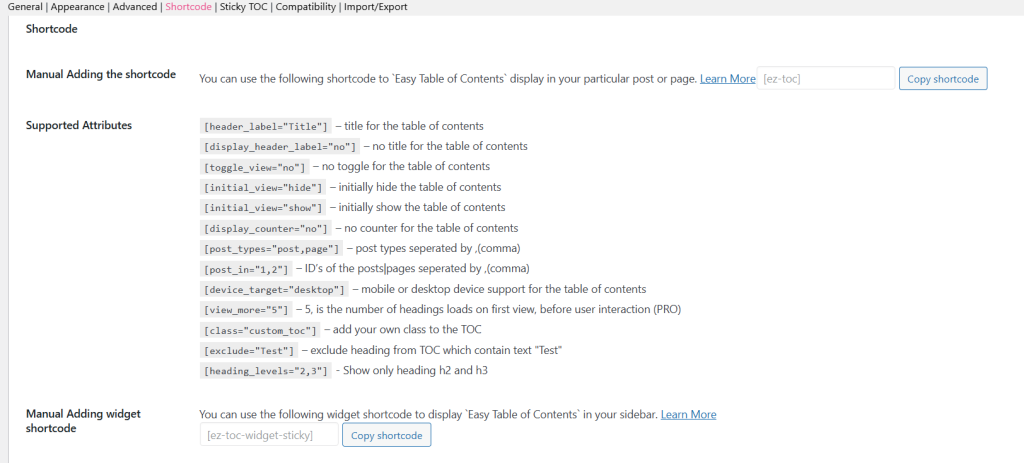
Simply insert this shortcode into
- The WordPress editor
- A Gutenberg shortcode block
- A Classic Editor post
- A page builder widget that accepts shortcodes
Upon insertion, TOCWP will automatically generate a well-structured table of contents based on the headings present in your content.
Rationale for Using the Shortcode
The shortcode approach is ideally suited for scenarios such as:
- Precise placement of the TOC (e.g., immediately after an introductory paragraph)
- Utilization of custom layouts or page templates
- Situations where automatic placement conflicts with your design preferences
- Including multiple TOCs within a long or complex page
Optional Shortcode Customization
If supported by TOCWP, shortcode attributes can be employed to customize the behavior and appearance of your TOC, for example:
[tocwp title=”Contents” smooth=”true” numbered=”false”]
Common options include
title– Modifies the TOC headingsmooth– Enables or disables smooth scrollingnumbered– Displays numbered items or bulletsdepth– Controls the levels of headings included (e.g., H2–H6)